
A broker's spreadsheet migration succeeds or fails on five things: what you decide to bring, how you clean it, how you map it, how you test it and how you cut over. Do those in order, with one owner and a dated cutover, and the move takes days of focused work instead of months of drift. This checklist walks through each step for commercial real estate and loan brokers, and shows where a platform built for brokers, like BrokersConnect, takes work off your hands, starting with the lender list you would otherwise rebuild by hand.
TL;DR
- Decide scope first: which tabs, which date range, which records. Leave dead rows behind instead of hauling them across.
- Clean and map in the spreadsheet, not in the new system. A three-column mapping table (old field, new home, rule) decides the quality of the result.
- Test with 20 to 50 representative records, including ugly ones, and repeat until the results are predictable.
- Cut over on a named date, stop editing the spreadsheet, and never run two writable systems.
- Treat lenders as data too. Your lender list, programs and contacts should arrive as structured records, or be replaced by a verified database.
Table of Contents
- Why brokers outgrow the spreadsheet
- Step 1: Set scope before you touch a file
- Step 2: Back up, twice
- Step 3: Clean the data in the spreadsheet
- Step 4: Build the mapping table
- Step 5: Run a test import
- Step 6: Import in the right order
- Step 7: Plan the cutover week
- Step 8: Audit after launch
- Step 9: Make the habit stick
- Where a broker platform shortens the project
- Try it on three live deals
- How we think about migration
- FAQ
- Sources
Why brokers outgrow the spreadsheet
A spreadsheet works while you have a handful of live deals. It stops working when the questions get relational: which lender has this borrower's package, who at that lender owns it, what did they say last Tuesday, and what is due today. Commercial loan brokers working from spreadsheets and browser bookmarks can lose track of which lender contact or referral is working with which borrower, and of document collection, loan progress and to-dos.
A CRM fixes that by putting client notes, call logs, lender contacts, placements, lender specifications and follow-up tasks in one place. The catch is that a generic system makes you build the deal-flow structure yourself. A broker-specific platform starts with that structure in place, so the migration is mostly about moving your data, not designing a process from scratch.
That matters for the checklist below. The less you have to invent, the shorter the project.

Step 1: Set scope before you touch a file
Most migrations go wrong at the start, when someone exports everything because it is easy. Instead, spend an hour on decisions.
- Inventory every file and tab. Include the sheet on your desktop, the one your assistant keeps, the lender list in a shared drive and the contacts exported from your email. A spreadsheet-to-CRM readiness checklist starts the same way: list every file and tab, then define which records and date ranges are in and which are out.
- Name one migration owner and one approver. The owner does the work. The approver has the authority to say go or no-go. On a two-person shop that can be you and your partner; the point is that someone can say stop.
- Freeze a versioned source copy. Save a dated copy of each spreadsheet and set a change cutoff, so you know exactly what was in the file the day you migrated.
- Define what stays out. Closed deals from years ago, borrowers who never transacted, lenders you have never heard back from. Archive them as a file instead of importing them.
A useful rule: bring across open deals, active borrowers, lenders you actually place with and anyone you will contact in the next twelve months. Everything else becomes an archive.
Step 2: Back up, twice
Before any cleanup, make an identical copy of each spreadsheet. TechnologyAdvice recommends keeping that backup in the cloud and on a hardware drive, and not moving everything until a smaller test migration has been run and checked. Name files with the date, for example deals_2026-11-13_source.xlsx, and never edit the backup.
Step 3: Clean the data in the spreadsheet
Cleaning is faster in a spreadsheet than in any CRM, because you can sort, filter and fill down in seconds. Do it before import, so the new system starts clean.
Contacts and borrowers
- Split full names into first and last name columns.
- Keep one best email and one mobile number per person.
- Normalize phone formats, for example (305) 555-0142 throughout.
- Deduplicate by email first, then by phone.
- Delete rows you cannot place and who never transacted.
Deals
- Give every deal a single row with a consistent property type, loan purpose, loan amount, location and stage.
- Collapse status variants. If your sheet has Hot, hot, HOT and Warm-hot, pick one vocabulary of stages and recode everything to it.
- Put amounts in plain numbers with no dollar signs or text such as 4.5MM. Stray text is a common reason an import skips a field.
Lenders
This is the table most broker spreadsheets handle worst. A usable lender record holds the firm, the contact, the programs, the loan amount range, the states or markets, the asset classes and a note about what they will and will not fund. If your lender tab is a flat list of names and numbers, you are not migrating a database, you are migrating a phone book.
You have two options here: spend days enriching the old tab, or start from a verified source. BrokersConnect includes a database of 289+ verified lenders across the major CRE asset classes and loan types, and matches a deal scenario to lenders by factors such as property type, loan amount, location, leverage, credit profile, loan purpose and transaction structure. For many brokers, the best lender migration is to bring across only the lenders you have a real relationship with, and let the matching handle the rest.

Step 4: Build the mapping table
The mapping table is a small sheet with three columns: the old field, its new home and the rule applied in between. It is the most valuable document in the project. Without it, you find out about mapping problems from a borrower.
| Old field (spreadsheet) | New home | Rule |
|---|---|---|
| Borrower name | Contact: first and last name | Split; fix capitalization |
| Borrower entity | Company | One company record per entity |
| Deal name / address | Deal | One deal per row; address as the title |
| Loan amount | Deal: amount | Numbers only, USD |
| Property type | Deal: asset class | Map to a fixed list |
| Status | Deal: pipeline stage | Recode to your stage list |
| Lender submitted to | Lender conversation | One entry per lender per deal |
| Notes | Timeline entries | Split by date; never one pasted blob |
| Source / referral | Tag or source field | Required on every row |
Two things deserve extra care.
Rows that mix record types. Many broker sheets put a borrower, a property and a lender on one row. Split them into separate records, and decide which field connects them, for example the borrower's email or the deal ID. Relationships (company to contact, contact to deal, deal to lender) are what make a CRM useful. A populated company name in a column does not mean a company relationship exists.
Pipeline stages. Decide your stages before you import, not after. If you need a model, our guides on deal pipeline stages and CRM rules and deal pipeline management for CRE brokers lay out stage definitions you can copy.
Step 5: Run a test import
Never import everything first. Pull a small sample, 20 to 50 records is a common recommendation, and make it ugly on purpose. Include:
- Duplicates and records with missing values.
- A borrower with several contacts at one entity.
- An open deal with notes across multiple lenders.
- Names with apostrophes, accents or hyphens.
- A deal with a large amount and a deal with a blank one.
Then check the result against the source:
- Do imported, skipped and failed counts add up to the rows you sent?
- Do contacts connect to the right companies and deals?
- Are owners, dates, amounts and stages correct? Watch for dates flipped between month and day.
- Did multiline notes arrive intact?
- Did empty fields stay empty?
Have two people who did not run the import check their own contacts. They notice mangled data an administrator would not. If something is wrong, fix the source file or the mapping, not the new records, and import again. Repeat until the results are predictable.
Step 6: Import in the right order
Once the test is clean, import the full set in this sequence:
- Announce the cutover time and stop edits to the spreadsheet.
- Take a final dated backup and record the row counts by sheet.
- Import parent records first: companies, then contacts, then deals, then activities and notes.
- Save the import logs and error files.
- Reconcile totals by object, owner, stage and deal value.
Import one source per batch when you can. Sources differ in quality, and a clean referral list should not be held up by a messy conference list. If an import is wrong, you want to undo one batch and not untangle everything.
Import open deals and active borrowers before older history. If time runs short, you lose old notes, not live files.
Step 7: Plan the cutover week
Pick a week when nothing else demanding is happening, and avoid a quarter end or a week with several closings. The sequence that works is to have pilot users inspect representative accounts and active deals, then make the spreadsheet read-only and direct all new work to the CRM. Keep the source archive for an agreed retention period, and avoid two writable systems.
For live deals, the safest approach is to move them one at a time and have a person check each. Automated import is for the back book. A deal in flight with a lender waiting on a term sheet deserves a human eye.
Three rules for the week:
- One arbiter. One person settles every question about where something lives.
- New leads go straight to the new system. A lead worked in neither system is the classic migration casualty.
- A read-only end date. Leave the spreadsheet readable only to recover an old note, and set a calendar date when that ends.
Capturing emails is where many teams slip in the first month, since the old habit was to paste a note into a cell. Our explainer on email to CRM capture with BCC logging shows how to make logging automatic instead of a chore.
Step 8: Audit after launch
Schedule three short checks instead of one big one.
| When | What to check |
|---|---|
| Day of import | Record counts against source, error log, open-deal stages, a few records opened by hand |
| Next day | Relationships, custom field population, duplicates |
| Day three | Pipeline totals against the snapshot you took before migration |
Read the error log first. Each row is a record that did not import or lost a field. Typical entries are a record that already exists, an invalid email, a required field left empty, or a value that is not on a list. Decide for each whether the fix is a batch correction or a manual one. A field that was mostly filled in the spreadsheet and sparsely filled in the CRM almost always means a mapping error.
Then close the loop:
- Confirm the full export of the old data is stored somewhere you can open it in five years.
- Cancel the old subscription, if there is one, only after that export is verified.
- Delete stray spreadsheet copies on desktops and laptops, since they contain borrower information.
- Write down what went wrong. You will do this again.
Step 9: Make the habit stick
A clean import with no habit behind it decays in a month. Tie the CRM to the work that makes money: submissions, lender follow-ups and stage changes. Our guides on CRM adoption tied to deal flow and a two to four week adoption pilot give a practical rollout for small teams. For follow-up discipline once lender conversations are logged, use a 21-day lender follow-up cadence and feedback SLAs.
Where a broker platform shortens the project
The checklist above applies to any CRM. Where BrokersConnect shortens it is in the parts that a generic tool leaves to you.
- Lender data. Rebuilding a lender list with programs, ranges and markets is the slowest part of a broker's migration. The platform provides 289+ verified lenders and AI lender matching, so the lender tab becomes a short list of your closest relationships.
- Pipeline structure. It includes a deal pipeline CRM, deal templates and a secure document vault, so stages, submissions and files live together.
- Outreach. Batch lender outreach and tracking of lender conversations replace the columns where you used to note who you emailed.
- Packaging. AI tools for deal packaging and underwriting, plus a fee calculator, sit in the same place as the deal.
Our lender outreach automation guide shows how a three-deal pilot works, and the fit-first workflow for contacting commercial lenders explains how to pick lenders that are likely to consider a deal before you send anything.
Try it on three live deals
BrokersConnect is $50 per month, flat, with a free trial and no commissions or transaction fees. Pick three open deals from your spreadsheet, enter them as scenarios, and see which lenders come back as fits before you migrate a single other row. If you are a new broker or a residential broker moving into commercial lending, this is also the fastest way to build a working lender list from day one.
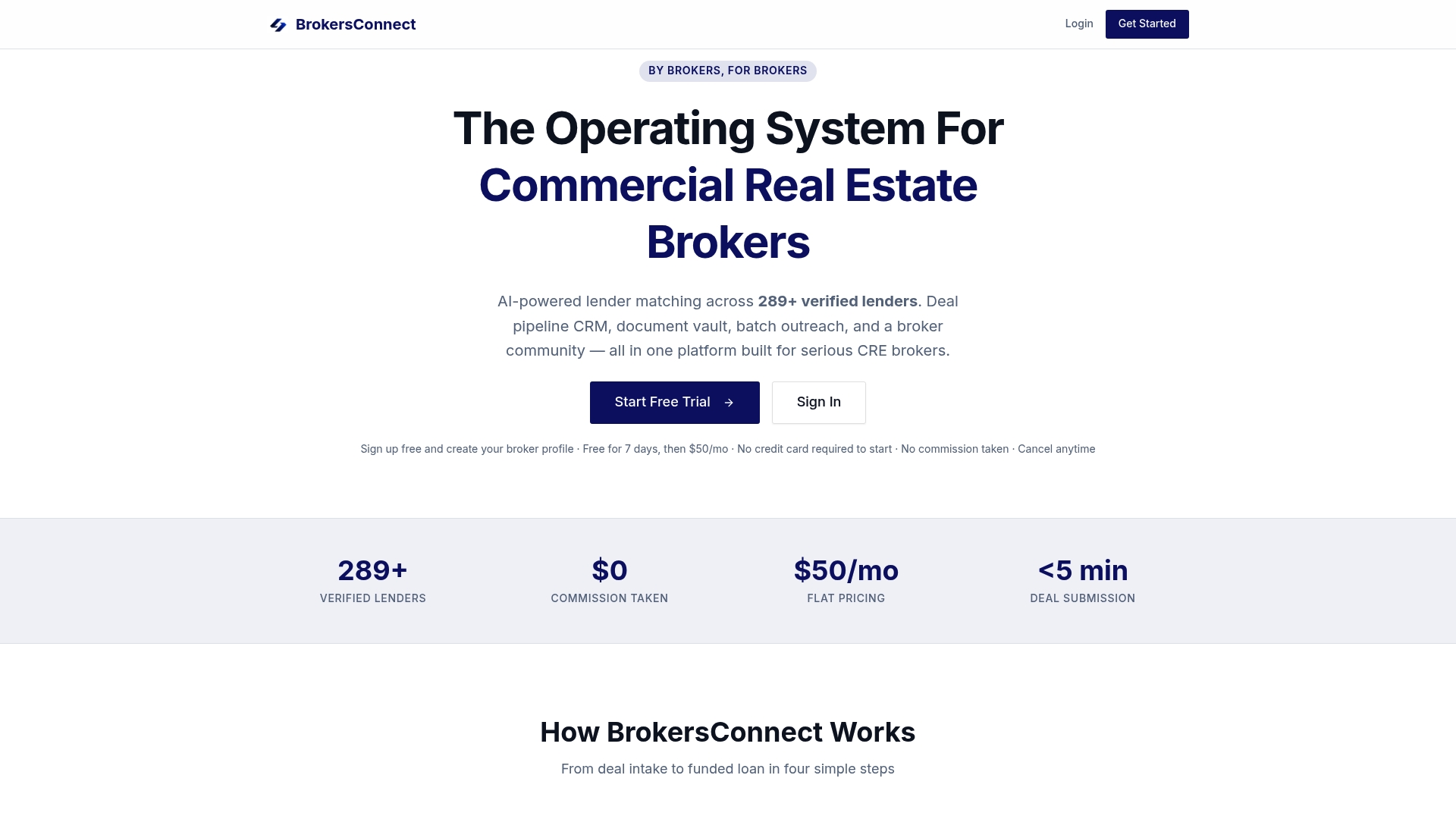
Start at BrokersConnect, and bring your spreadsheet along only for the records that still matter.
How we think about migration
Most brokers do not have a data problem. They have a structure problem. The spreadsheet holds the facts, but the structure that connects a borrower, a deal, a lender and a next step lives in the broker's head, and that is exactly what does not migrate.
That is why we built BrokersConnect as one operating system for the broker: lender matching, pipeline, outreach, documents and community in one place, for a flat fee with no commissions. When the structure comes with the platform, migration shrinks to moving the deals you are working and the lenders you trust.
Our advice is to migrate less than you think. Bring the live pipeline, bring the relationships, and let the rest become an archive. A smaller, cleaner start gets used, and a used system is the only one that pays for itself.
Theron
FAQ
How long does a spreadsheet-to-CRM migration take for a small brokerage?
For one broker or a small team, the work itself is usually a few focused days: scope, cleanup, mapping, a test import and the full import. Allow more calendar time if lender data needs enrichment. Starting from a database of verified lenders cuts that part sharply.
Should I move all my old deals into the CRM?
No. Bring open deals, active borrowers and lenders you place with, and archive the rest as a dated export. Hauling dead records across only clutters search results and slows adoption.
What is the biggest mistake brokers make when moving off spreadsheets?
Running two writable systems at once. Notes land in both, neither is complete, and the old one wins out of habit. Set a cutover date, make the spreadsheet read-only and send all new work to the CRM.
Is a CRM really better than a spreadsheet for a broker?
Once you track several deals across several lenders, yes. A CRM ties notes, tasks, lender contacts and placements together, which a spreadsheet cannot do without constant manual upkeep. A broker-specific platform adds lender matching and a pipeline built around loan submissions.
Sources
- Why Commercial Loan Brokers Need A CRM
- Spreadsheet to CRM Migration Readiness Checklist
- CRM Data Migration: Complete Guide for Spreadsheet Migration
- How to Migrate from a Spreadsheet to a CRM