
Use a six-stage, buyer-milestone pipeline and test it against 10 recent deals this week. That single action will expose more about your current process than any pipeline audit you've run before.
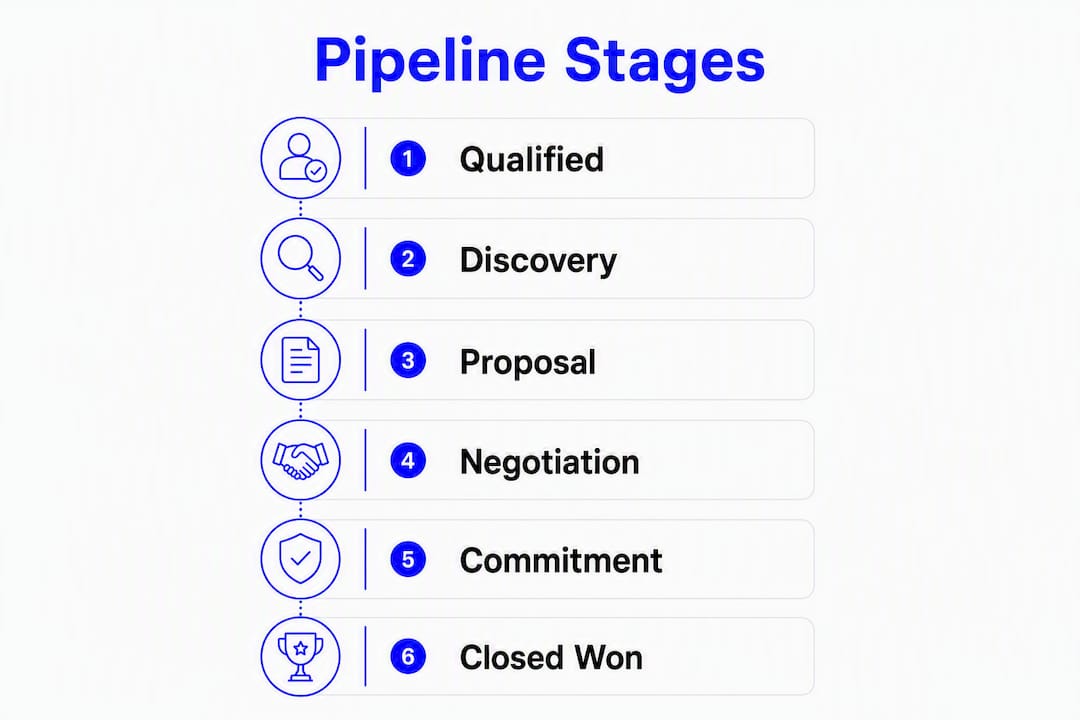
The recommended stage set includes six stages, each triggered by a buyer action, not a rep task. This set works because every stage change requires something the buyer did, which makes your forecast a reflection of buyer behavior rather than seller optimism.
To implement it now:
- Rename your current CRM stages to match these six labels
- Add three required fields at stage change: close date, economic buyer name, and next buyer-confirmed step
- Set one enforced exit criterion per stage (a buyer action the rep must document before advancing the deal)
- Pull 10 recent closed deals and map them backward through the new stages to check whether the criteria hold
Schedule a 30-minute pipeline review this week. Walk every active deal against the new exit criteria. Anything that cannot clear the bar for its current stage gets moved back or flagged for a decision. Anything that cannot clear the bar for its current stage gets moved back or flagged for a decision.
Table of Contents
- What do "pipeline," "stage," and "deal" actually mean?
- Which stage framework fits your deal length?
- How do you write entry and exit criteria that actually hold up?
- How do you map stages to forecast categories and win probabilities?
- CRM implementation rules that make stages enforceable
- Common pipeline mistakes and how to fix them
- Templates and a launch checklist you can copy into your CRM
- How does a CRE deal map to pipeline stages?
- Key Takeaways
- Why buyer-centric stages are the only ones worth building
- BrokersConnect gives CRE brokers a pipeline built for loan workflows
- Further reading and authoritative sources
What do "pipeline," "stage," and "deal" actually mean?
These three terms get used interchangeably in most CRMs, which is exactly why forecasts break down. Precise definitions are not semantic housekeeping. They determine what your reports measure.
Pipeline is the collection of all active deal opportunities your team is working at a given moment, organized by stage. It is a portfolio, not a list. You manage it at two levels simultaneously: individual deal progression and overall portfolio health (coverage, velocity, and hygiene). Pipeline management gives revenue teams visibility into deal health and a consistent process from first contact to close.
Stage is a discrete position within the pipeline that represents a specific point in the buyer's decision process. A stage is not a rep activity. It is a buyer milestone. The moment you define a stage by what the rep did ("Proposal Sent") instead of what the buyer did ("Proposal Accepted"), you lose the ability to forecast from it.
Deal (also called an opportunity) is a single revenue opportunity tied to a specific buyer, value, and close date. It lives in exactly one stage at any time.
Closed Won means the buyer signed or otherwise formally committed. The close date locks, the deal value is recorded as revenue, and the record moves out of the active pipeline. Closed Lost means the buyer declined or went silent past a defined threshold. Both statuses require a documented reason, which feeds your win/loss analysis.
Pro Tip: Phrase every stage criterion as a buyer action, not a rep task. "Proposal sent" is a rep action. "Buyer confirmed evaluation timeline" is a buyer action. The difference determines whether your pipeline is a forecast or a to-do list.
Which stage framework fits your deal length?
There is no universal answer, but there is a useful rule: match stage count to deal length. Short cycles need fewer stages. Long cycles need more, but never more than 10. Beyond that, stage fatigue sets in and reps start skipping stages rather than maintaining them.
Simple framework (3–4 stages) for short-cycle deals
Use this when your average deal closes in under 30 days and involves one or two decision-makers.
| Stage | Buyer Milestone | Typical Time in Stage |
|---|---|---|
| Qualified | Buyer confirmed problem and budget range | 1–3 days |
| Proposal Accepted | Buyer reviewed and agreed to move forward | 3 days |
| Closed Won/Lost | Buyer signed or declined | 1–3 days |
Add a fourth stage ("Negotiation") if pricing discussions typically delay close. Otherwise, use three stages.
Standard B2B framework (6 stages) for mid-cycle deals
Most B2B pipelines run six stages, each requiring explicit exit criteria. This is the template to start with if your average deal takes 30–90 days and involves three or more stakeholders.

A typical six-stage framework for mid-cycle deals includes stages such as Qualified, Discovery Complete, Proposal Accepted, Evaluation/Negotiation, Verbal Commitment, and Closed Won/Lost. Probabilities should be calculated from your own historical win rates, not borrowed as defaults.
Long-cycle / enterprise framework (8–10 stages)
Longer sales cycles that involve multiple approvals and reviews may require additional stages, but adding splits between phases should only be done if distinct buyer actions and differing time-in-stage justify it.
Decision guide: Start with the 6-stage template. Run it for one quarter. If more than 20% of deals stall at the same stage, that stage probably needs to be split. If two consecutive stages almost always advance together within a week, merge them.
How do you write entry and exit criteria that actually hold up?
The gap between a stage name and a stage definition is where most pipelines fall apart. "Qualified" means something different to every rep on your team unless you write it down.
Entry criteria define what must be true for a deal to enter a stage. Exit criteria define what the buyer must do before the deal can advance. Both are required. Entry criteria without exit criteria let deals drift forward on optimism. Exit criteria without entry criteria let unqualified deals pollute early stages.
Here is a repeatable format for writing both:
- Name the stage
- Write the entry criterion as: "The buyer has [verifiable action]"
- Write the exit criterion as: "The buyer has [next verifiable action]"
- List the CRM fields the rep must complete before the stage change is allowed
Example entry/exit pairs for the 6-stage template:
- Qualified: Entry: buyer confirmed a specific business problem and a budget range. Exit: buyer agreed to a discovery session with a defined agenda.
- Discovery Complete: Entry: discovery session held and notes logged. Exit: buyer shared full requirements and named the decision-making team.
- Proposal Accepted: Entry: proposal delivered. Exit: buyer confirmed they are reviewing the proposal and set a feedback date.
- Evaluation/Negotiation: Entry: buyer provided written feedback or redlines. Exit: buyer engaged procurement or legal on contract terms.
- Verbal Commitment: Entry: commercial terms agreed. Exit: buyer confirmed intent to sign and provided a signature timeline.
- Closed Won: Entry: contract sent for signature. Exit: buyer signed.
Converting subjective labels into verifiable checkpoints is the core of this work. "Strong Interest" is not a buyer action. "Buyer scheduled a second meeting with their CFO" is. Stages that require subjective rep judgment produce inconsistent pipeline signals and should be replaced with documented buyer confirmations.
Pro Tip: Configure required CRM fields at every stage-change point. If a rep cannot advance a deal without entering the economic buyer's name and a confirmed next step, you have automated your exit criteria enforcement without a single conversation about pipeline hygiene.
How do you map stages to forecast categories and win probabilities?
Default CRM probabilities (the ones that ship with Salesforce, HubSpot, or any other platform) are guesses. They are not calibrated to your deal history. Use them for the first 90 days, then replace them.

Calculate each stage's win probability from your last 12 months of closed deals using this formula:
Stage probability = (deals that reached this stage and closed won) ÷ (total deals that reached this stage)
Run this calculation for every stage. The result is a data-driven probability that reflects your actual conversion rate at each point in the process, not a vendor's assumption about how B2B sales works.
Here is an example output from a mid-market B2B team (illustrative):
| Stage | Deals Reached | Closed Won | Calculated Probability |
|---|---|---|---|
| Qualified | — | — | 20% |
| Proposal Accepted | 90 | — | —% |
Update these numbers quarterly. A probability that was accurate in Q1 may not hold after a product change, a pricing shift, or a new competitive entrant.
Forecast categories group stages into three buckets that managers use for revenue planning:
- Committed: Verbal Commitment and Closed Won. High confidence, near-term revenue.
- Best Case: Evaluation/Negotiation. Likely to close this quarter with effort.
- Pipeline: Qualified through Proposal Accepted. Possible but not yet probable.
This mapping gives your CFO a revenue range rather than a single number, which is a more honest and more useful forecast.
CRM implementation rules that make stages enforceable
A stage framework that lives in a slide deck is not a pipeline. It becomes one only when it is configured in your CRM with naming conventions, required fields, and automations that make the rules unavoidable.
Naming conventions:
- Use buyer-action language in every stage name ("Proposal Accepted" not "Proposal Sent")
- Keep names under four words so they display cleanly in pipeline views
- If you run multiple deal types in one CRM, add a Deal Type field rather than creating separate pipelines for each variation
- Version your stage set when you make structural changes (e.g., "v2 June 2026") so historical reports remain interpretable
Required fields to enforce at stage change:
- Close date (must be a specific date, not a quarter)
- Economic buyer name and contact record
- Deal value (confirmed, not estimated)
- Next buyer-confirmed step with a due date
- Stage-specific evidence field (e.g., "Discovery notes URL" at Discovery Complete)
Automation rules to configure:
- Create a follow-up task automatically when a deal enters Evaluation/Negotiation
- Send a Slack or email alert to the manager when a deal has not advanced in 14 days
- Prevent stage skipping by requiring all intermediate stage fields before a jump of two or more stages
- Auto-populate close date with a default (deal creation date plus your average sales cycle) to prevent blank close dates on new deals
Won/Lost behavior:
- Mark Closed Won only when a signed document or formal confirmation exists, not on verbal alone
- Mark Closed Lost with a required loss reason from a defined picklist (price, competitor, no decision, timing)
- Reopened deals should create a new deal record, not reactivate the closed one, to preserve historical data integrity
Pro Tip: Gate every stage advance with at least one required property. A rep who cannot move a deal forward without entering the economic buyer's name will enter it. A rep who can skip it always will.
Common pipeline mistakes and how to fix them
The most common design error is defining stages by rep activity rather than buyer action. Seller-centric stages like "Proposal Sent" measure what the rep did, not whether the buyer is moving. They inflate pipeline and produce forecasts that feel optimistic until the quarter ends badly.
Frequent design errors and their fixes:
- Seller-activity stages: Rewrite every stage name as a buyer milestone. Audit your current stage list and flag any stage that a rep can advance without a buyer doing anything.
- Too many stages: Merge any two stages that consistently advance together within 72 hours. More than 10 stages creates administrative overhead that reps will route around.
- Vague stage names: Replace labels like "In Progress" or "Active" with specific buyer milestones. If two reps would define the stage differently, the name is wrong.
- Unmaintained close dates: Require close date updates as a condition of the weekly pipeline review. A close date that has slipped three times without a stage change is a data quality problem, not a timing issue.
Operational failures:
- Infrequent reviews: Weekly pipeline reviews under 30 minutes, focused only on active deals, catch stalled opportunities before they become lost ones. Weekly pipeline reviews under 30 minutes, focused only on active deals, catch stalled opportunities before they become lost ones. Monthly reviews are too slow.
- No exit criteria enforcement: Without required fields at stage change, exit criteria are suggestions. Reps will advance deals on gut feel, and your forecast will reflect that.
- No accountability for data quality: Assign a pipeline hygiene score to each rep (percentage of deals with complete required fields and current close dates) and review it in the weekly meeting.
Pro Tip: Be careful with over-automation. An automation that blocks a stage advance when a required field is missing is useful. An automation that automatically moves deals backward based on inactivity can create confusion when a deal is legitimately paused at the buyer's request. Build guardrails, not traps.
Templates and a launch checklist you can copy into your CRM
Before you go live, start with a defined sales process, a CRM, and an agreed definition of a qualified lead. Those three preconditions determine whether your new stage framework will hold.
Copyable stage templates:
Simple (3–4 stages): Qualified → Proposal Accepted → Closed Won/Lost. Add Negotiation between Proposal Accepted and Close if pricing discussions routinely take more than a week.
Standard B2B (6 stages): Qualified → Discovery Complete → Proposal Accepted → Evaluation/Negotiation → Verbal Commitment → Closed Won/Lost. One-line exit criterion per stage: buyer confirmed problem (Q), buyer shared requirements (DC), buyer accepted proposal (PA), buyer engaged procurement (EN), buyer confirmed intent to sign (VC), buyer signed (CW).
Long-cycle (8–10 stages): Add Technical Evaluation, Security/Compliance Review, and Legal Review between Proposal Accepted and Verbal Commitment. Each added stage needs its own exit criterion and required field.
Launch checklist:
- Map 10 recent closed deals (five won, five lost) against the new stage definitions to validate that entry/exit criteria match actual buyer behavior
- Configure required fields for each stage change in your CRM
- Run an automation smoke test: advance a test deal through every stage and confirm that tasks, alerts, and field requirements trigger correctly
- Brief the team in a 45-minute session: walk through each stage, the exit criterion, and the required fields
- Set a 30-day check-in to review stage conversion rates and identify any stage where deals are consistently stalling
30-minute pipeline review agenda:
- Minutes 1–5: hygiene check (close dates current, required fields complete)
- Minutes 6–20: active deals only, one minute per deal, focus on next buyer action
- Minutes 21–28: stalled deals decision (advance, flag, or remove)
- Minutes 29–30: one action item per rep, documented in CRM
On segmenting pipelines: Use a Deal Type field in a single pipeline rather than creating separate pipelines for each product line or deal category. Multiple pipelines fragment your reporting and make portfolio-level coverage analysis harder to run.
How does a CRE deal map to pipeline stages?
Commercial real estate loan transactions have a distinct milestone sequence that differs from a standard B2B software sale. The buyer is a borrower, the product is a loan structure, and the "close" involves title, escrow, and legal transfer. Mapping these milestones to stages requires CRE-specific exit criteria.
Here is how a typical CRE loan opportunity maps to a six-stage pipeline:
| Stage | CRE Buyer Milestone | Key Evidence Required |
|---|---|---|
| Qualified | Borrower confirmed property type, loan purpose, and target leverage | Loan scenario summary, property address, estimated value |
| Lender Matched | Broker identified 3+ lenders aligned to deal parameters | Lender shortlist, DSCR calculation, credit profile summary |
| Submission Accepted | At least one lender accepted the loan package for review | Signed submission, rent roll, operating statements |
| Underwriting Active | Lender ordered appraisal or issued an LOI | Appraisal order confirmation, preliminary term sheet |
| Term Sheet Accepted | Borrower signed term sheet and paid deposit | Executed term sheet, deposit receipt, estoppel certificates if applicable |
| Closed | Loan funded and title transferred | Closing disclosure, wire confirmation |
CRE-specific checklist items that serve as stage evidence:
- Property type and asset class (multifamily, retail, industrial, office)
- Loan purpose (acquisition, refinance, construction, bridge)
- DSCR calculation and debt yield
- Rent roll and trailing 12-month operating statements
- Environmental report status
- Estoppel certificates for leased properties
- Due-diligence document package (title commitment, survey, insurance)
Thecrebrokersconnect supports this workflow directly. The platform's AI underwriting tools help brokers package deal scenarios against lender criteria before submission, reducing the back-and-forth that stalls deals at the Submission Accepted stage. The document vault stores stage evidence securely, and the lender matching engine narrows a database of 289+ verified lenders to the ones most likely to consider the specific deal parameters, which compresses the time between Qualified and Lender Matched.
When adapting the standard 6-stage template to CRE, test these specific points: Does your current "Qualified" stage require a DSCR calculation, or just a property address? Does "Underwriting Active" require an appraisal order, or just a lender email saying they're interested? The difference between a vague milestone and a verifiable one is the difference between a pipeline you can forecast from and one you cannot.
Key Takeaways
A buyer-milestone pipeline with six stages, enforced exit criteria, and data-driven probabilities is the most reliable foundation for accurate sales forecasting and consistent deal progression.
| Point | Details |
|---|---|
| Start with six stages | The standard B2B template (Qualified through Closed Won/Lost) fits most deal cycles and is the right default before customizing. |
| Buyer actions, not rep tasks | Every stage exit criterion must describe something the buyer did; seller-activity stages inflate pipeline and break forecasts. |
| Calculate real probabilities | Derive stage win probabilities from 12 months of closed deals using (closed won at stage) ÷ (total reached stage); update quarterly. |
| Enforce with required fields | Gate every stage advance with at least one required CRM field to make exit criteria automatic, not aspirational. |
| Thecrebrokersconnect for CRE | The platform's pipeline CRM, document vault, and lender matching enforce CRE-specific stage criteria and compress time from qualification to lender selection. |
Why buyer-centric stages are the only ones worth building
Most pipeline problems are not technology problems. They are definition problems. Teams argue about forecast accuracy, stalled deals, and rep accountability, but the root cause is almost always the same: stages defined by what the rep did, not what the buyer decided.
When you reframe every stage as a buyer milestone, something changes in how managers coach and how reps think. A rep who knows the deal cannot advance until the buyer confirms an evaluation timeline stops treating "I sent the proposal" as progress. A manager who reviews deals against buyer actions asks better questions: "What did the buyer do this week?" instead of "Where is this deal?"
The cultural shift matters as much as the configuration. Required fields and automations enforce the rules, but they do not create the habit of thinking about the buyer's decision process. That comes from how managers run pipeline reviews. If the weekly meeting is a status report, reps will treat the pipeline as a status board. If it is a coaching conversation about what the buyer needs next, the pipeline becomes a tool for thinking, not just tracking.
The teams that sustain pipeline discipline over time share one trait: their managers model it. They update their own deals in real time, they call out stale close dates in the meeting rather than after it, and they treat a deal moved backward as a sign of good judgment, not failure. That posture is what makes a stage framework last longer than the quarter it was launched in.
BrokersConnect gives CRE brokers a pipeline built for loan workflows
CRE brokers deal with a pipeline problem that generic CRMs were not designed to solve. The milestones are different, the documents are different, and the lender relationship is a variable that most sales tools ignore entirely.
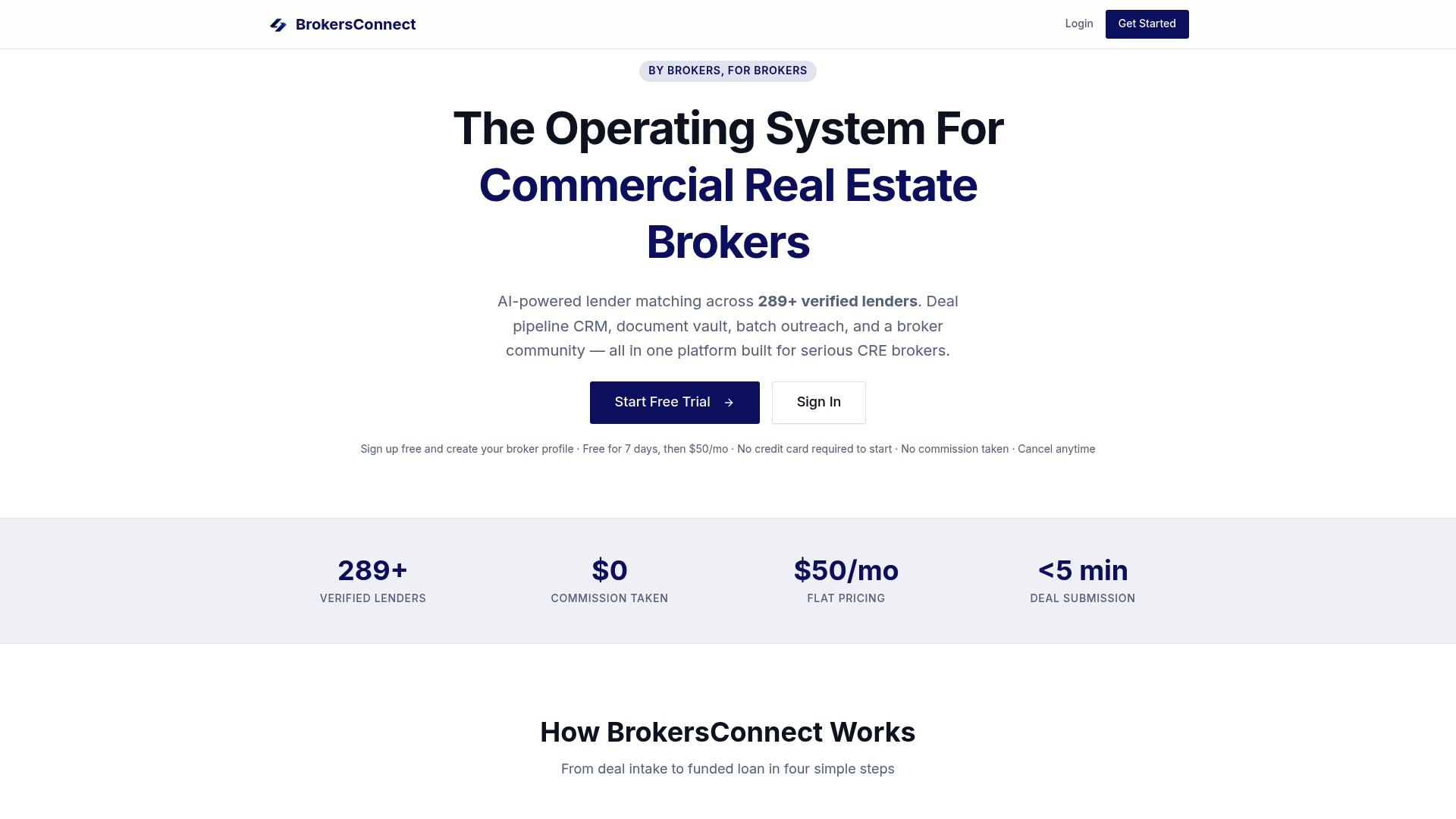
Thecrebrokersconnect is built specifically for this workflow. The platform combines a deal pipeline CRM with AI-powered lender matching across 289+ verified lenders, a secure document vault for stage evidence, deal templates calibrated to CRE loan types, and automation rules that enforce stage criteria without manual follow-up. A broker working a bridge loan opportunity can match lenders, package the submission, store the rent roll and operating statements, and track lender responses, all within the same system.
The lender matching engine alone changes the economics of the Lender Matched stage. Instead of cold-calling through a lender list, brokers submit a deal scenario and get back a filtered set of lenders aligned to the property type, loan amount, leverage, and credit profile. That compression from hours to minutes is where deals stop stalling.
Start a free trial at Thecrebrokersconnect and run your next CRE deal through the six-stage template with real loan data.
Further reading and authoritative sources
These sources back the frameworks, formulas, and implementation rules covered in this article:
- Deal Stage Mapping for Accurate Forecasting, RevOps Report — best for probability calculation methodology and buyer-milestone stage design; the most technically rigorous source in this list
- Sales Pipeline Management: Definition, Stages, Metrics, and Reviews, Sybill.ai — best overview of the standard six-stage B2B framework with metric definitions
- How To Build A Sales Pipeline From Scratch, Vedain — practical step-by-step build guide; strongest on pre-launch readiness and weekly review cadence
- Pipeline Stages That Match How Your Team Actually Sells, Rework CRM Implementation Guide — best for diagnosing seller-centric stage problems and rewriting stage criteria
- Pipeline Management: How It Works and Best Practices, Outsales — covers portfolio-level pipeline health, coverage ratios, and velocity metrics alongside deal-level progression
- What Is Pipeline Management? Stages and AI Benefits, Monday.com — accessible overview of pipeline management as a revenue operations discipline; useful for teams new to structured pipeline management